Game Save Manager
Stop trusting the cloud blindly. GSM secures saves from platforms like Steam, Epic, and your custom locations in one place. Auto-detect installed games, maintain versioned history, and restore your progress with a single click.
Universal Platform Support
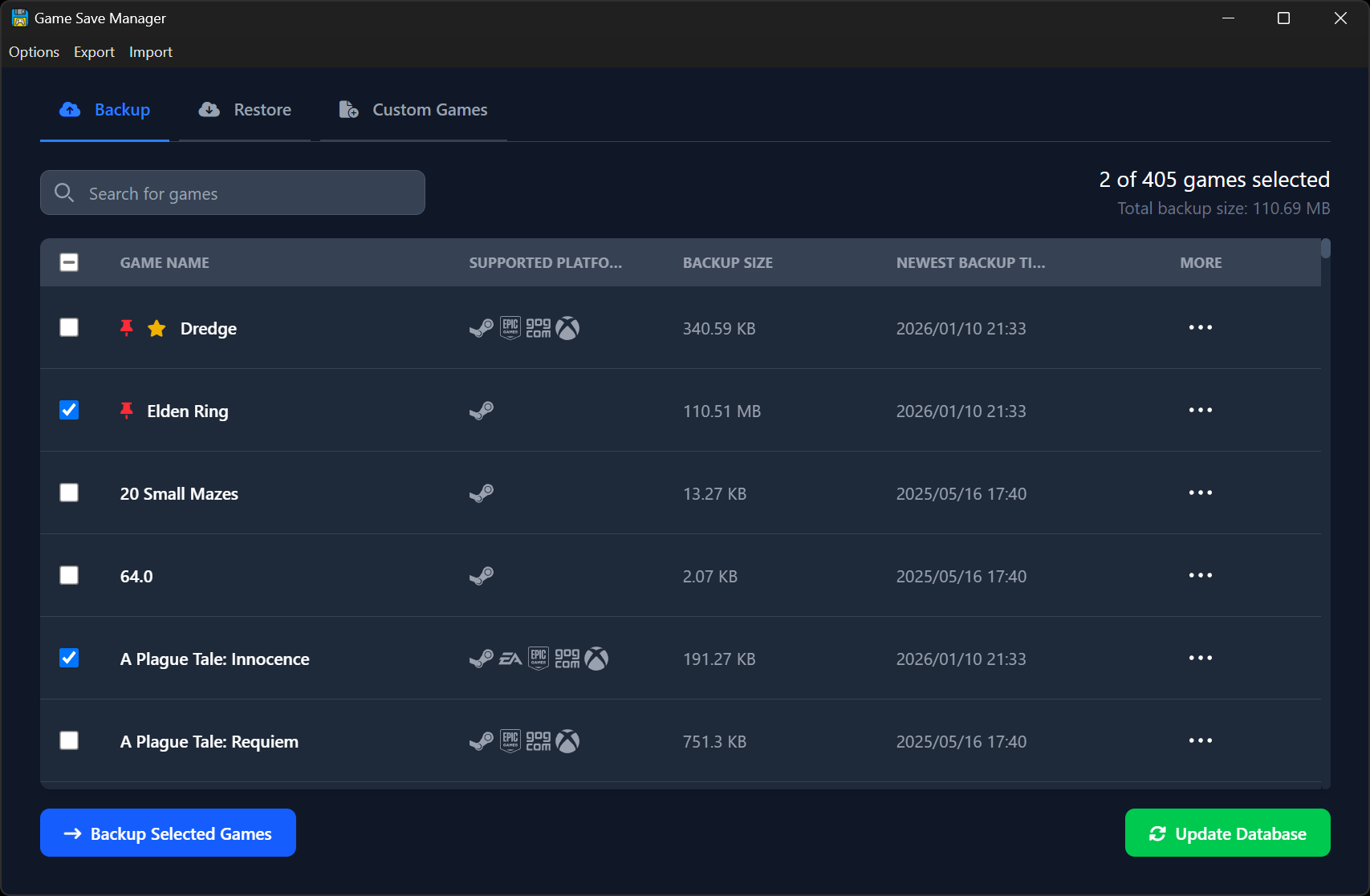
Centralized Game Save Management
Stop digging through AppData folders. We automatically find and organize your save files into one clean, interactive table.
Powered by PCGamingWiki
Leveraging the world's largest crowd-sourced game database for 14000+ game save locations.
- Instant table view of all games
- One-click Backup & Restore actions
Smart Detection Engine
GSM doesn't just look at one folder. It uses a dual-scan system:
- 1Install Path Scan
Automatically detects games installed via Steam, Epic, Battle.net, and more by scanning your library folders.
- 2Deep Database Scan
Even uninstalled games leave saves behind. GSM's advanced mode checks thousands of known save paths (Registry, AppData, Documents) to recover forgotten history.
Time Travel Made Easy
Mess up a dialogue choice? Corrupt a save file? GSM keeps a rolling history of backups for every game.
Permanent "Pinned" Saves
Mark specific backups (like "Before Final Boss") as Permanent. These are never auto-deleted and can be custom named for easy retrieval.
Auto-Rotation
Set a limit (e.g., "Keep last 5 saves"). GSM automatically cleans up old files to save disk space while keeping your recent progress safe.
Support the Unsupported
Playing a niche indie game or a mod? Use the Custom Games tab to add any folder, file, or registry key to the backup system.
Smart Placeholders
Ensure your backups work on any PC by using dynamic variables instead of hardcoded paths.
Cross-Device Migration
Moving to a new PC? GSM lets you Export your entire save history into a single .gsmr archive.
Import it on the new machine, and GSM smartly merges the backups—combining existing history with the imported files effortlessly.
Account Awareness
GSM detects User IDs for Steam, Ubisoft, Epic, Xbox, and Rockstar.
*Supports backing up specific accounts or global backups for all accounts.